—
Introduction – Why Every Maker Needs a Cheat‑Sheet
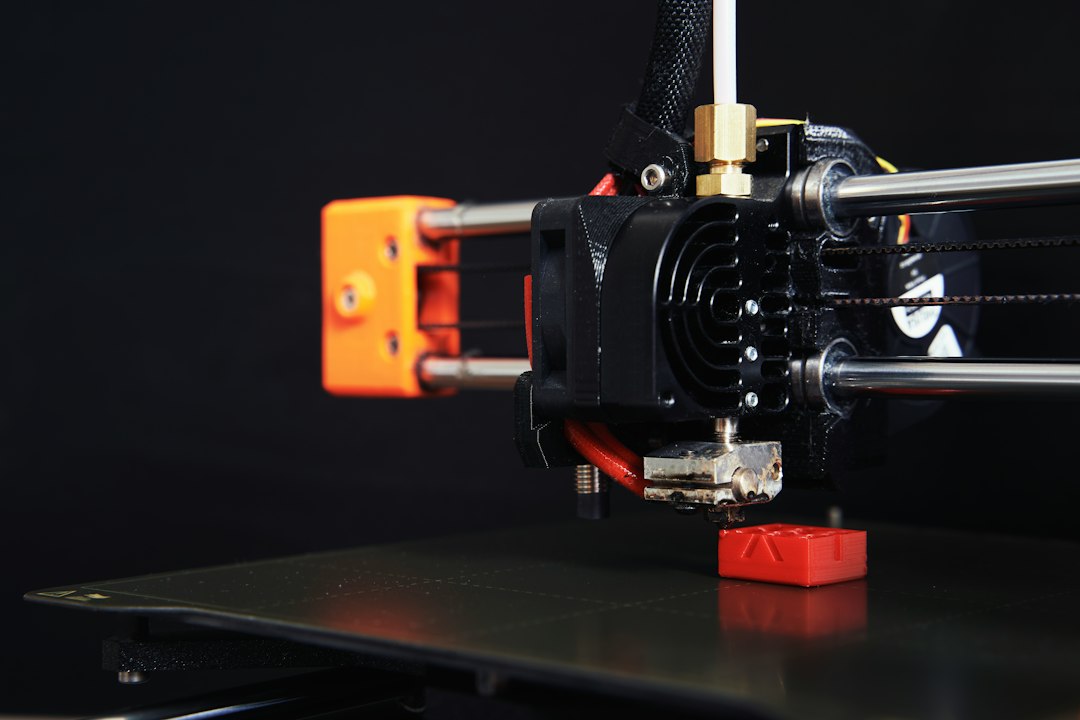
If you’ve ever watched a 3D printer start a new layer and heard that faint “whir‑whir” before the nozzle drags a string of filament across the build plate, you know the thrill (and occasional frustration) of additive manufacturing. Whether you’re a hobbyist printing decorative figurines, an engineer prototyping functional parts, or a small‑business owner producing low‑volume inventory, the same core challenges appear over and over: warping, poor surface finish, failed prints, and wasted filament.
The good news? Most of these headaches can be prevented with a handful of practical 3D printing tips that seasoned makers use daily. In this guide we’ll walk through the essential steps—from printer calibration to post‑processing—that will transform your prints from “meh” to masterpiece. Grab your favorite coffee, fire up your slicer, and let’s dive into the tips that will make every build smoother, faster, and more reliable.
—
1. Master the Foundations: Calibration & Bed Leveling
1.1 Why Calibration Is Non‑Negotiable
A perfectly calibrated printer is the single most important factor in achieving consistent results. Even a tiny misalignment can cause the first layer to be too thin (leading to poor adhesion) or too thick (causing nozzle clogs and uneven layers). Think of calibration as the “prime” in a workout routine—skip it, and everything else suffers.
1.2 Step‑by‑Step Bed Leveling Checklist
| Step | Action | Pro Tip |
|——|——–|———|
| 1 | Heat the bed to your usual printing temperature (e.g., 60 °C for PLA). | Warm surfaces expand, giving a more accurate level. |
| 2 | Disable the stepper motors and manually move the nozzle to each corner and the center. | Use a piece of standard printer paper as a feeler gauge. |
| 3 | Adjust the Z‑offset until you feel slight resistance when sliding the paper. | Aim for a paper gap of ~0.1 mm—just enough to feel but not tear. |
| 4 | Run a “bed‑leveling test print” (a single‑layer square or calibration cube). | Inspect for uniform extrusion; tweak as needed. |
| 5 | Save the settings to your printer’s EEPROM or slicer profile. | Reduces re‑leveling before each print. |
1.3 Auto‑Leveling Sensors – When to Trust Them
Many modern printers ship with inductive or BLTouch sensors. They’re great for consistency, but they still need occasional manual checks. Run a quick manual level once a month to verify the sensor isn’t drifting.
Bottom line: Spend 5–10 minutes on calibration before each major print session, and you’ll cut failed prints by up to 70 %.
—
2. Choose the Right Filament & Settings for the Job
2.1 Filament Types – Match Material to Application
| Filament | Ideal Use | Typical Print Temp | Key Considerations |
|———-|———–|——————–|——————–|
| PLA | Prototypes, decorative items | 190‑210 °C | Low warping, easy to print |
| PETG | Functional parts, water‑resistant items | 230‑250 °C | Strong, slight stringing |
| ABS | High‑temp parts, automotive | 230‑250 °C | Requires enclosure, prone to warping |
| TPU | Flexible hinges, phone cases | 210‑230 °C | Slow print speed, needs good retraction |
| Nylon | Mechanical gears, aerospace | 240‑260 °C | Very hygroscopic—dry before use |
2.2 Dry Your Filament – The Hidden Enemy
Moisture in filament causes “popping” noises, bubbles, and weak layers. Store spools in airtight containers with desiccant, and consider a filament dryer (or a simple oven at 50 °C for 4‑6 hours) before long prints.
2.3 Optimize Temperature & Flow Rate
- Temperature: Start at the middle of the manufacturer’s range, then adjust in 5 °C increments. Too hot → stringing; too cold → under‑extrusion.
- Flow Rate: Keep it at 100 % as a baseline, then fine‑tune ±2‑3 % based on test prints. Over‑extrusion leads to blobs; under‑extrusion creates gaps.
- Glue Stick: Thin, even layer on glass or PEI—great for PLA.
- Hairspray (40‑Spray): Works well for ABS on glass.
- PEI Sheet: Provides consistent adhesion for most materials; just clean with isopropyl alcohol.
- BuildTak or Magigoo: Commercial solutions that simplify removal.
- PLA: 50‑60 °C bed + ambient room temp (20‑25 °C).
- PETG: 70‑80 °C bed; keep enclosure closed to avoid drafts.
- ABS: 100‑110 °C bed + enclosure to maintain ~30‑35 °C ambient.
- Detail Prints (fine features, small tolerances): 30‑50 mm/s
- Standard Prototypes: 60‑80 mm/s
- Large, Low‑Detail Parts: 100‑120 mm/s (if your printer can handle it)
- Enable “Combing” in slicer settings to keep the nozzle within the printed area during non‑extruding moves.
- Use “Z‑Hop” sparingly—useful for tall prints to avoid scratching, but adds time.
- Optimize “Retract Length” (typically 4‑6 mm for Bowden, 1‑2 mm for direct drive) to minimize ooze without causing clogs.
- PVA (water‑soluble) supports: Soak in warm water (40‑50 °C) for 30‑60 min, then gently brush.
- Breakaway supports: Use needle‑nose pliers or a deburring tool; avoid excessive force to prevent surface damage.
- Coarse grit (200‑400): Remove major blemishes.
- Fine grit (800‑2000): Achieve a smooth finish before painting.
- Chemical smoothing (acetone vapor for ABS, THF for PETG): Provides a glossy surface but requires proper ventilation.
- Prime first: Use a spray primer designed for plastics.
- Paint: Acrylic paints work well; for metal‑like finishes, use enamel spray.
- Seal: Apply a clear coat to protect the finish and improve durability.
- Heat treatment (annealing) for PLA: 80‑100 °C for 30‑60 min can increase strength and reduce internal stresses.
- Thread tapping or tapping inserts: For moving parts, drill and tap after printing to ensure precise threads.
Quick tip: Enable “Linear Advance” (if your firmware supports it) to improve corner accuracy and reduce oozing.
—
3. Nail Bed Adhesion – No More Warped Corners
3.1 Surface Prep Techniques
3.2 Brims, Rafts, and Skirts – When to Use Each
| Feature | Purpose | When to Choose |
|———|———|—————-|
| Skirt | Checks extrusion flow before the print starts | Simple calibration, no adhesion concerns |
| Brim | Increases surface area on the first layer | Small parts prone to warping (e.g., ABS, large flats) |
| Raft | Provides a detachable platform | Very delicate parts, extreme warping, or new filament |
3.3 Temperature Management for the Build Plate
Pro tip: Use a small fan to cool the print area after the first few layers; this reduces “curl” while still allowing the base to stick.
—
4. Optimize Print Speed & Travel Moves
4.1 Finding the Sweet Spot
Speed isn’t just “faster = better.” High speeds can cause ringing, ghosting, and reduced layer adhesion. A practical rule of thumb:
4.2 Reduce Unnecessary Travel
4.3 Acceleration & Jerk Settings
Fine‑tune acceleration (e.g., 500‑1000 mm/s²) and jerk (e.g., 10‑20 mm/s) in your firmware for smoother motion. Lower values improve surface quality, especially on intricate geometries.
Bottom line: A balanced speed/quality trade‑off yields higher success rates than pushing the printer to its maximum.
—
5. Post‑Processing – Turning Good Prints Into Great Ones
5.1 Cleaning Up Support Structures
5.2 Sanding & Smoothing
5.3 Painting & Sealing
5.4 Functional Post‑Processing
Pro tip: Document your post‑processing workflow for each material—future prints will benefit from a repeatable, time‑saving process.
—
Conclusion – Your 3D Printing Playbook in a Nutshell
Mastering 3D printing isn’t about buying the most expensive printer; it’s about understanding the fundamentals and applying proven 3D printing tips consistently. Here are the key takeaways:
1. Never skip calibration – A level bed and accurate Z‑offset are the foundation of every successful print.
2. Match filament to the part – Choose the right material, keep it dry, and fine‑tune temperature/flow settings.
3. Secure first‑layer adhesion – Use the appropriate surface prep, brims/rafts, and bed temperature for your material.
4. Balance speed with quality – Adjust print speed, travel moves, and acceleration to reduce artifacts while keeping production time reasonable.
5. Invest in post‑processing – Proper support removal, sanding, and finishing can elevate a functional prototype into a market‑ready product.
By integrating these strategies into your daily workflow, you’ll see fewer failed prints, lower material waste, and higher‑quality results—whether you’re printing a decorative vase, a mechanical gear, or a custom enclosure for your next invention. Keep experimenting, stay curious, and let each print be a learning experience. Happy printing!
Comments