Continuous Spiral 3D Printing Explained
Vase mode turns solid 3D models into hollow, single-walled objects printed in one continuous motion. It is one of the fastest ways to print clean decorative items, but it comes with distinct structural trade-offs.
In this post, we’ll cover how spiralized printing works, when you should use it, key settings to tweak, and the mechanical limits you need to plan around.
1. How Vase Mode Works: Continuous Movement
Standard 3D printing prints a layer boundary, performs a retractor move, steps up the Z-axis, and starts the next layer. This stop-and-start motion creates a vertical seam on the wall of your print.
Vase mode — often called spiralize outer contour in slicers like Cura — eliminates this seam. The printer moves continuously along the X, Y, and Z axes at the same time, gradually raising the nozzle like a spiral staircase. Because the print head never stops extruding until the model is finished, the outer surface remains smooth and free of retract marks.
To use it correctly, your 3D model must meet specific geometry rules:
- It must have a solid interior with no internal cavities.
- It must have a single outer wall surface.
- It cannot split into multiple branches or separate towers at higher Z levels.
2. Ideal Use Cases: Speed and Appearance
The primary advantage of spiral printing is print speed combined with visual appeal. Because the printer extrudes a single perimeter without infill or top layers, prints complete in a fraction of the usual time.
Decorative Homeware
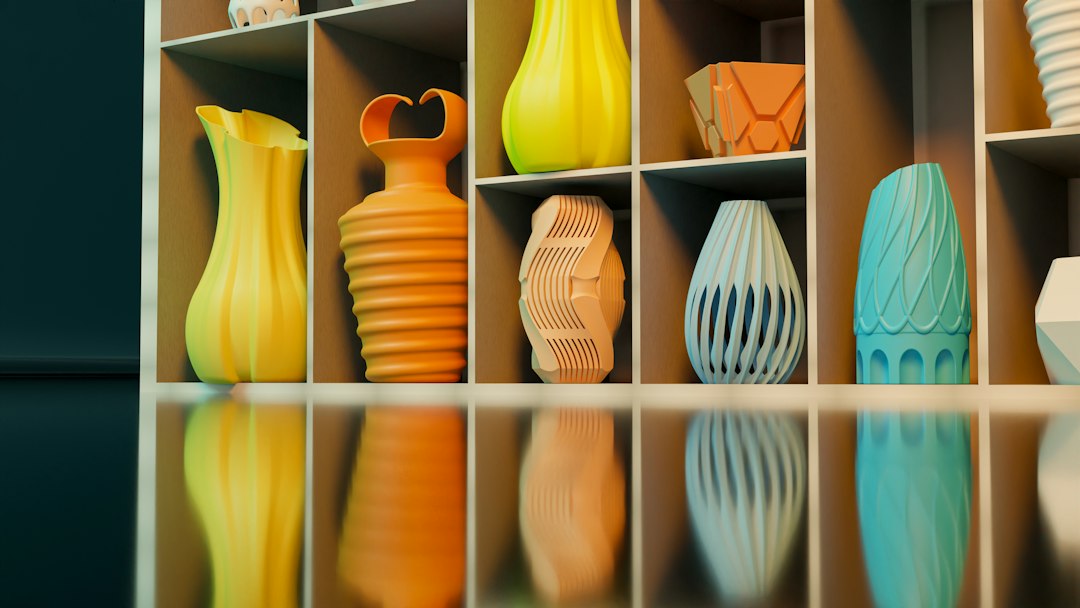
Planters, light diffusers, pencil holders, and decorative bins are classic vase mode projects. Translucent PLA or PETG filaments look particularly good because the uniform single wall lets light pass through evenly without internal infill patterns casting shadows.
Quick Prototyping
If you need to verify the outer scale, visual proportion, or ergonomics of a design, printing a hollow shell in spiral mode saves hours of machine time and uses very little filament.
3. Key Slicer Settings: Tuning for Success
While vase mode simplifies printing, adjusting a few basic settings improves strength and water resistance.
| Setting | Recommended Starting Value | Purpose |
|---|---|---|
| Bottom Solid Layers | 4 to 6 layers | Provides a stable, leak-resistant base. |
| Line Width | 120% to 150% of nozzle size | Increases wall thickness and layer adhesion. |
| Printing Speed | 30 to 50 mm/s | Ensures continuous cooling on delicate walls. |
Extending Wall Width
A standard 0.4 mm nozzle usually prints 0.4 mm wide lines. In vase mode, you can safely set your line width to 0.6 mm or even 0.8 mm. Pushing more material through the nozzle creates a thicker, sturdier single wall and dramatically improves layer bonding.
Managing Print Temperature
Print slightly hotter than usual to help the continuous extrusions melt together securely. Actual temperatures depend on your specific printer and filament brand.
4. Limitations: Structural Weakness and Steep Overhangs
Despite its speed, spiral mode is not suitable for functional or load-bearing parts.
Lack of Mechanical Strength
A single wall lacks rigid support. Objects printed in vase mode flex easily when squeezed and can split along layer lines if subjected to mechanical stress. They are strictly for light display or non-load-bearing use.
Strict Geometry Restrictions
Vase mode cannot handle flat top surfaces, sharp horizontal ledges, or steep overhangs. Because there is no internal infill to support horizontal spans, any angle wider than roughly 45 degrees from vertical may sag or fail entirely. The model must narrow smoothly toward the top or remain open.
Conclusion: Key Takeaways
- Vase mode prints a single perimeter in one continuous spiral, eliminating side seams and saving time.
- Models must be solid, single-bodied shapes without flat tops, internal cavities, or multiple peaks.
- Increasing your line width beyond the nominal nozzle size creates stronger, thicker walls.
- Single-wall prints flex easily and are limited to decorative or light-duty applications.
With the right model geometry and line width adjustments, spiral mode is one of the most efficient tools in your slicing toolkit.
Happy printing!